Your firm's portal URL is the web address clients use to log in and access their accounting app. This article explains what it shows and how it relates to your branding.
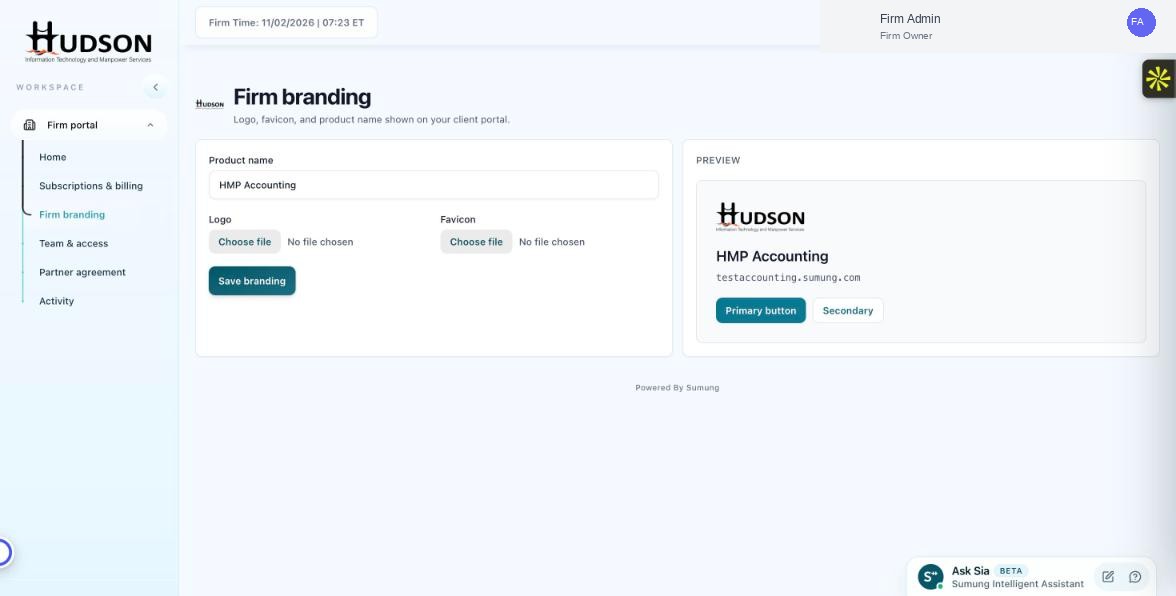
Portal URL shown in the Firm branding preview panel
What You Can Do
- Your portal URL is shown in the Firm branding preview panel (e.g., testaccounting.sumung.com).
- Clients navigate to this URL to log in to their accounting workspace (powered by Sumung/CFO12).
- The URL is configured when your firm account is set up — it uses the format [yourfirm].sumung.com.
- For a fully custom domain (e.g., accounting.yourfirm.com), contact Sumung support.
- The portal URL does not change when you update the product name or logo.
💡 Good to Know: Share your portal URL on your firm's website, email signature, and client onboarding documents.
💡 Good to Know: Custom domain setup may require DNS changes — Sumung support will guide you through the process.
Related Articles
Was this article helpful?
Your feedback helps us improve our documentation.