Ask Sia is Sumung's AI-powered assistant. It's accessible from every page in the Firm Portal and the CFO12 app. This article introduces Sia and explains how to start using it.
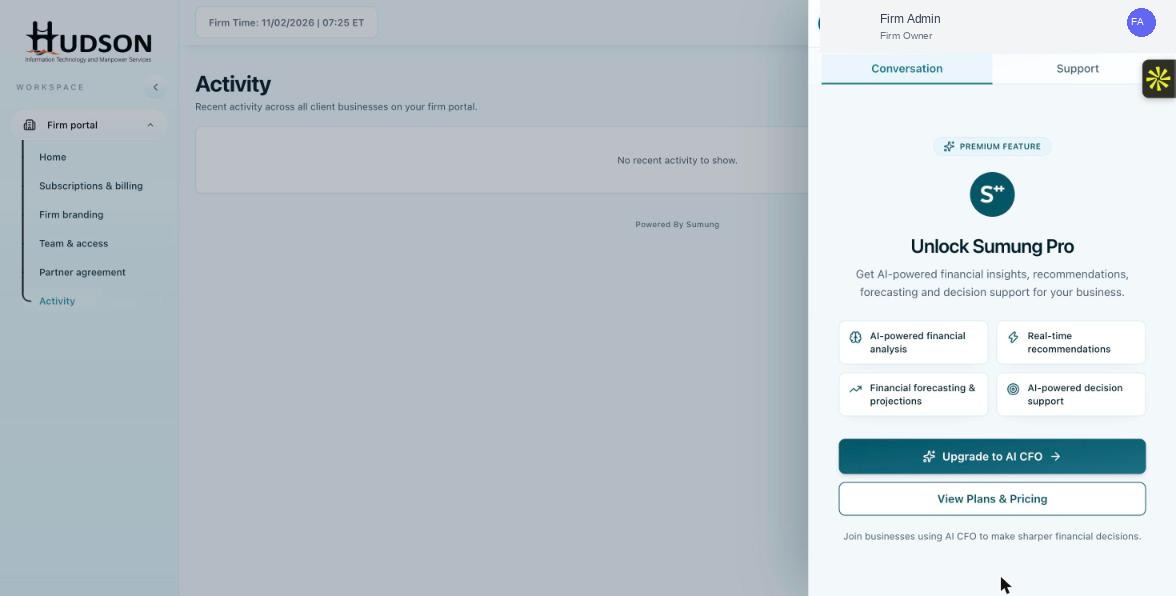
Ask Sia panel open — Conversation and Support tabs visible
What You Can Do
- On any portal page, click the 'Ask Sia BETA' button in the bottom-right corner.
- The Sia panel opens with two tabs: 'Conversation' and 'Support'.
- For help with Sumung features, click the 'Support' tab and type your question.
- For AI-powered financial analysis (CFO-level queries), click the 'Conversation' tab (requires Sumung Pro).
- Type your message in the text field and press Enter to send.
- Sia responds with an answer and may link to relevant Help Center articles.
- Click the X button to close the Sia panel.
💡 Good to Know: Sia is in beta — answers are helpful but may occasionally be incomplete or imperfect.
💡 Good to Know: The Support tab draws answers from Help Center articles — it's great for how-to questions about the platform.
Related Articles
Was this article helpful?
Your feedback helps us improve our documentation.