The Support tab in Ask Sia lets you ask questions about using Sumung's features. Answers are drawn from the Help Center article library. This article explains how to use it effectively.
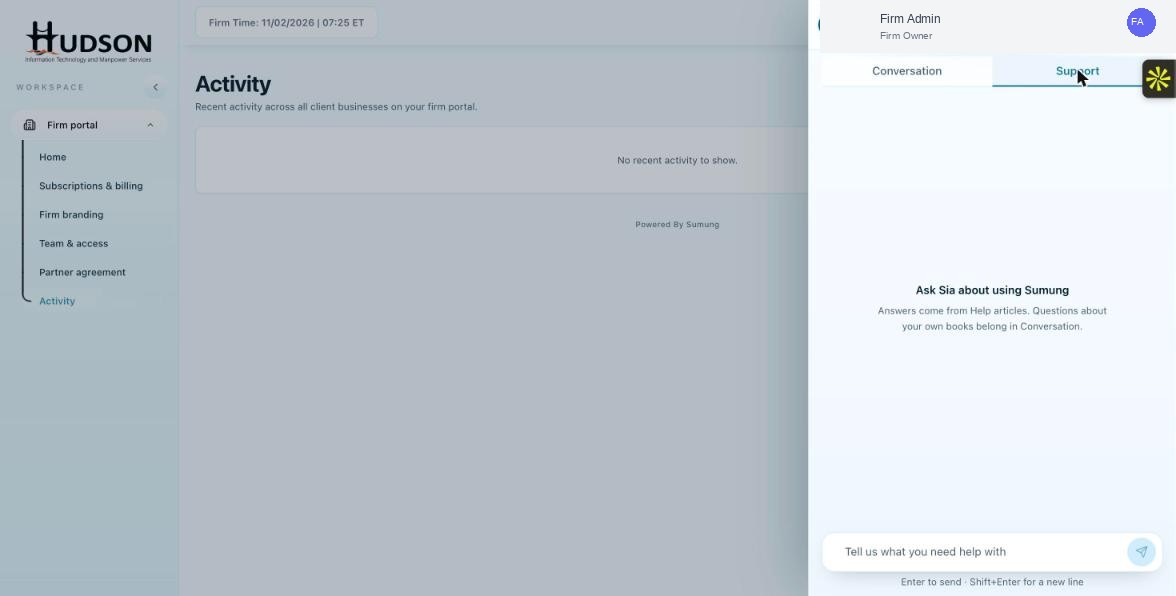
Ask Sia — Support tab with message field
What You Can Do
- Click the Ask Sia button in the bottom-right corner to open the panel.
- Click the 'Support' tab (right tab in the panel header).
- In the message field, type a question about the platform (e.g., 'How do I add a bookkeeping client?').
- Press Enter or click the Send button.
- Sia responds with a step-by-step answer based on Help Center articles.
- If the answer includes article links, click them to read the full article.
- Use 'Report an issue' if the answer is incorrect or unhelpful.
💡 Good to Know: Phrase questions as you would ask a colleague — natural language works best.
💡 Good to Know: Specific questions get better answers than vague ones (e.g., 'How do I invite a staff member?' is better than 'team stuff').
Related Articles
Was this article helpful?
Your feedback helps us improve our documentation.