A client's subscription status directly determines what they can do in their CFO12 accounting app. This article explains the access rules for each billing status.
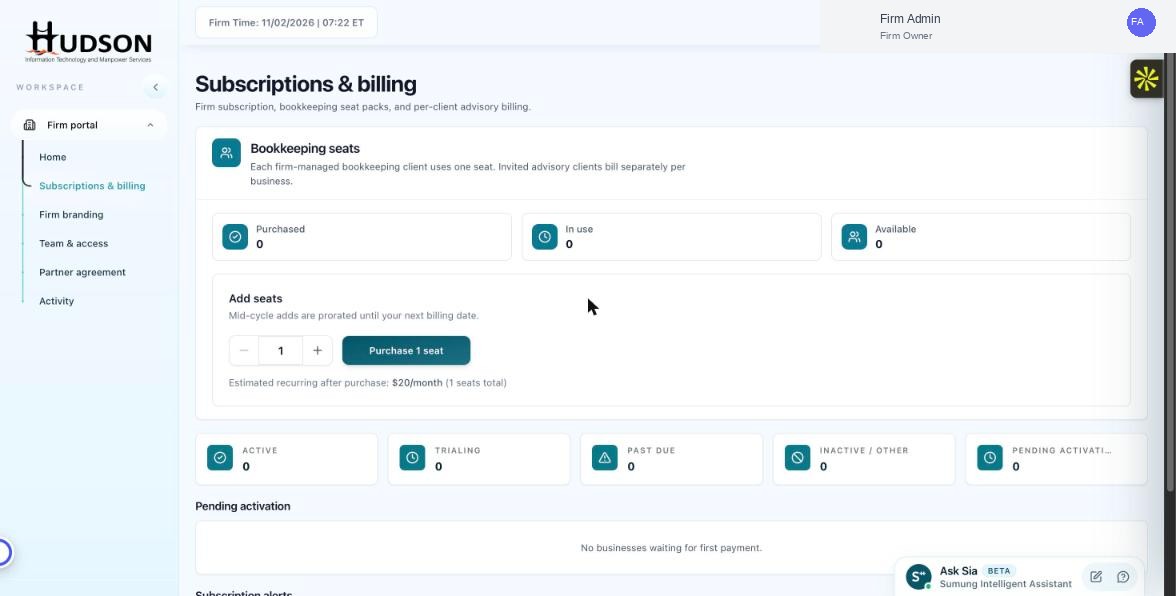
Subscriptions & billing dashboard showing client billing status
What You Can Do
- Active — full access to all CFO12 features.
- Trialing — full access during the trial period; access restricts when the trial ends without a payment method.
- Past Due — restricted access; client may be blocked from creating new transactions.
- Inactive/Other — account suspended; client cannot log in.
- Pending Activation — limited access until first payment is completed.
- As a Firm Owner, you can see each client's access level from their detail panel.
💡 Good to Know: Communicating billing status and its impact to clients helps prevent service disruption surprises.
💡 Good to Know: Past-due clients receive automated emails from Sumung asking them to update their payment method.
Related Articles
Was this article helpful?
Your feedback helps us improve our documentation.