When you update your firm branding, the changes are reflected immediately in every place clients see your identity — including their portal, sign-up page, and email communications.
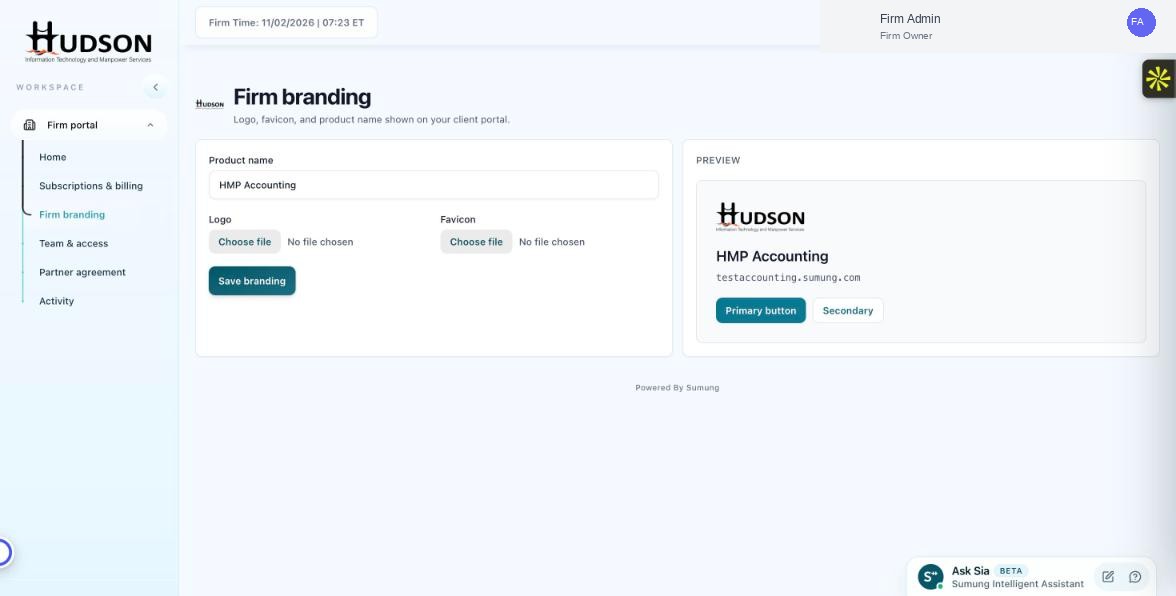
Firm branding page showing the current configuration
What You Can Do
- Logo change: the new logo appears in the portal header, sign-up page, and white-labeled emails within minutes.
- Product name change: the new name appears as the app/platform name in the portal header and emails.
- Favicon change: the new favicon appears in browser tabs the next time clients open the portal.
- Changes are applied globally — all clients see the updated branding simultaneously.
💡 Good to Know: Branding changes do not interrupt active client sessions — clients see the new logo/name on their next page load.
💡 Good to Know: Notify clients when making a major rebrand to avoid confusion.
Related Articles
Was this article helpful?
Your feedback helps us improve our documentation.