When Sumung updates its partner terms, you will need to review and accept the new agreement version. This article explains the acceptance process.
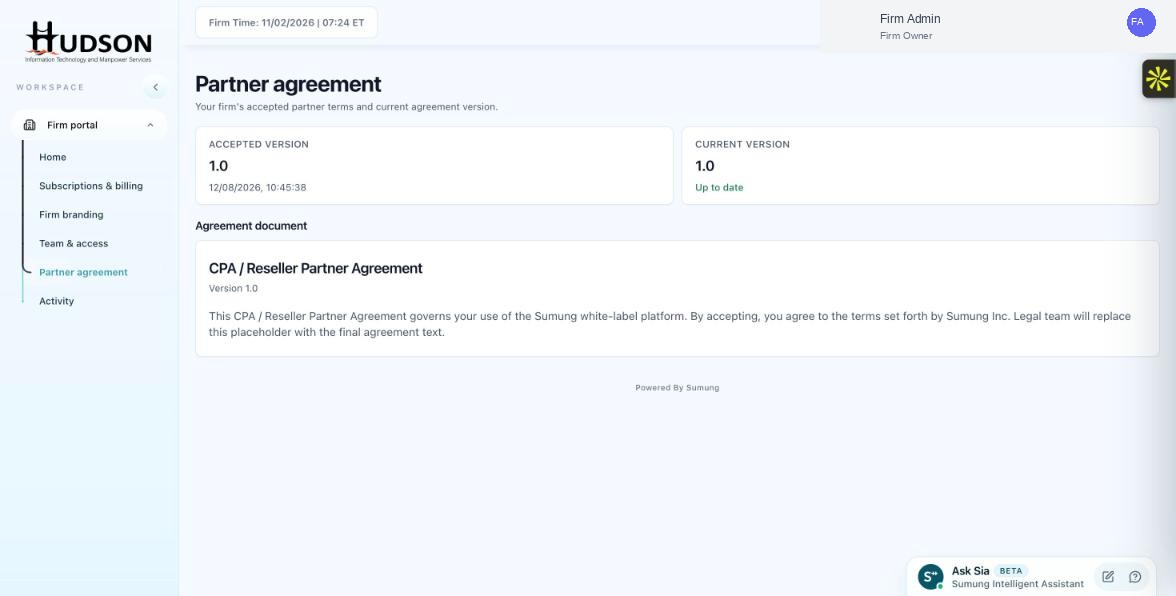
Partner agreement — Accepted Version and Current Version cards
What You Can Do
- When a new agreement version is released, you may see a notification in the portal.
- Navigate to Partner agreement in the sidebar.
- The 'Current version' will show a version number higher than your 'Accepted version'.
- Read the updated agreement document shown in the 'Agreement document' section.
- If you agree to the terms, click the 'Accept agreement' or 'Accept new version' button.
- The 'Accepted version' updates to the new version number, and the date is recorded.
- A confirmation message appears confirming your acceptance.
💡 Good to Know: You must accept the latest agreement version to continue using the Sumung platform without interruption.
💡 Good to Know: Keep a record of your acceptance date for your own compliance records.
Related Articles
Was this article helpful?
Your feedback helps us improve our documentation.