The Partner Agreement is the legal document governing your use of the Sumung white-label platform. This article explains where to find it and what it contains.
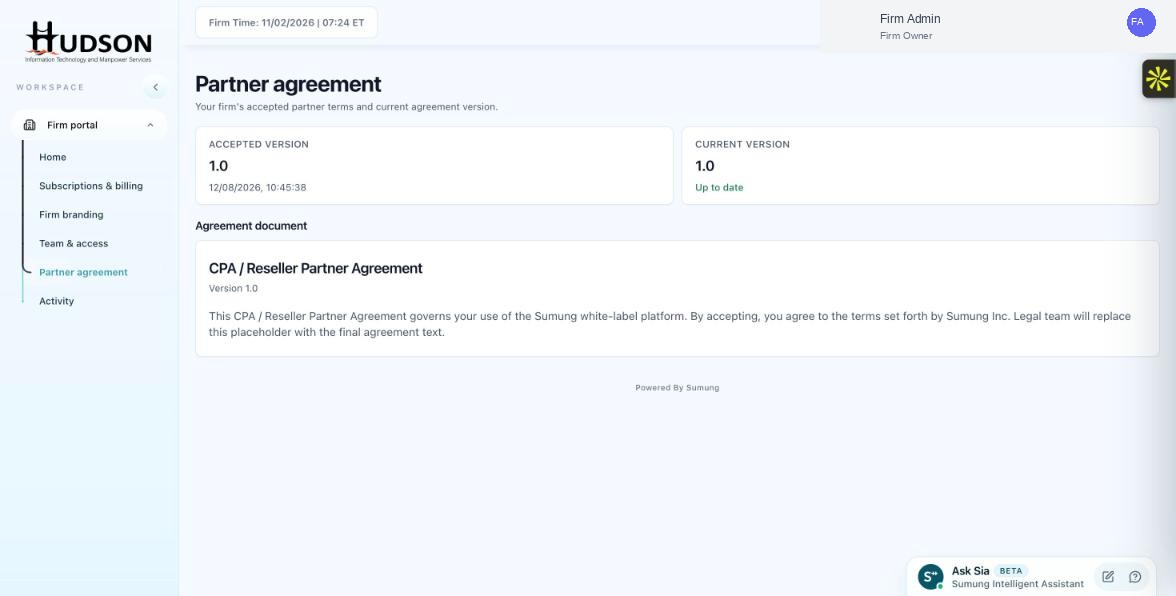
Partner agreement page showing Accepted and Current version
What You Can Do
- Navigate to Partner agreement in the left sidebar.
- The page shows two version indicators: 'Accepted version' and 'Current version'.
- The 'Accepted version' shows the version you agreed to and the date of acceptance.
- The 'Current version' shows the latest agreement version — if it says 'Up to date', you are on the current version.
- Below, the 'Agreement document' section shows the title ('CPA / Reseller Partner Agreement') and version number.
- Read the agreement text to understand your obligations and rights as a Sumung white-label partner.
💡 Good to Know: Keeping up with agreement updates ensures you remain compliant with Sumung's partner terms.
💡 Good to Know: Contact Sumung support if you have questions about specific clauses in the agreement.
Related Articles
Was this article helpful?
Your feedback helps us improve our documentation.