The product name is what clients see as the name of the accounting platform they use — for example, 'HMP Accounting'. It appears in the portal header, emails, and the client sign-up page.
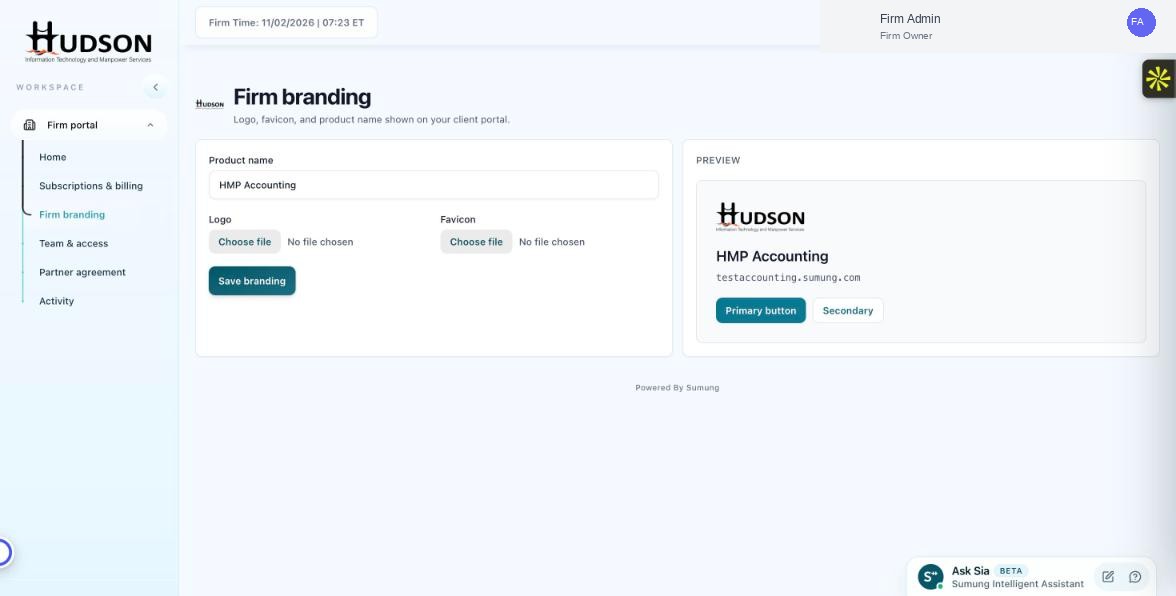
Product name field in Firm branding
What You Can Do
- Navigate to Firm branding.
- In the 'Product name' field, clear the existing text.
- Type your desired product name.
- The Preview panel on the right updates the name in real-time.
- Click 'Save branding' to apply.
- The new product name is visible to clients immediately after saving.
💡 Good to Know: Choose a product name that reflects your firm's brand — clients will see this as the name of their accounting software.
💡 Good to Know: Changing the product name does NOT affect your firm's portal URL (subdomain).
Related Articles
Was this article helpful?
Your feedback helps us improve our documentation.