The billing dashboard shows a breakdown of your clients by payment status, including Active (paid) vs. Trialing (in free trial). This helps you forecast upcoming billing conversions.
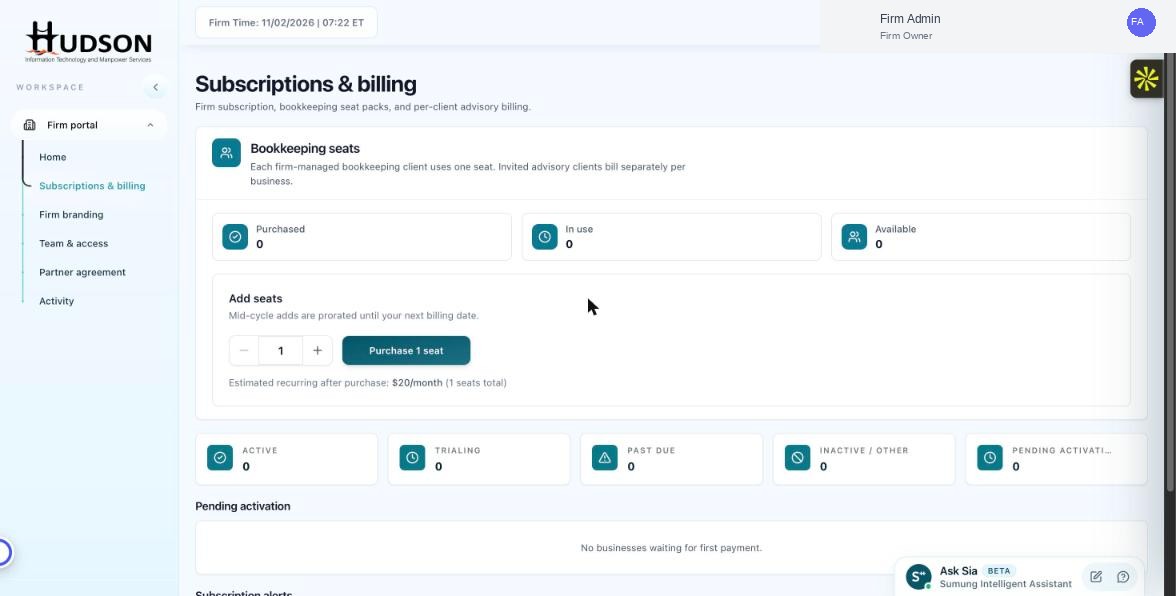
Client subscription status metrics in Subscriptions & billing
What You Can Do
- Navigate to Subscriptions & billing.
- Look at the five metric cards below the seat counters: Active, Trialing, Past Due, Inactive/Other, Pending Activation.
- Active = clients currently on a paid subscription.
- Trialing = clients in a free trial period (no charge yet).
- Track the Trialing count to identify upcoming conversion opportunities.
- Click the Trialing card to see which specific clients are in trial.
💡 Good to Know: Follow up with trialing clients near the end of their trial period to encourage conversion.
💡 Good to Know: Trialing clients automatically convert to paid subscriptions at trial end — they need a valid payment method on file.
Related Articles
Was this article helpful?
Your feedback helps us improve our documentation.