Sumung's Firm Portal has role-based access control. Each role has a defined set of permissions. This article explains the available roles and what each can do.
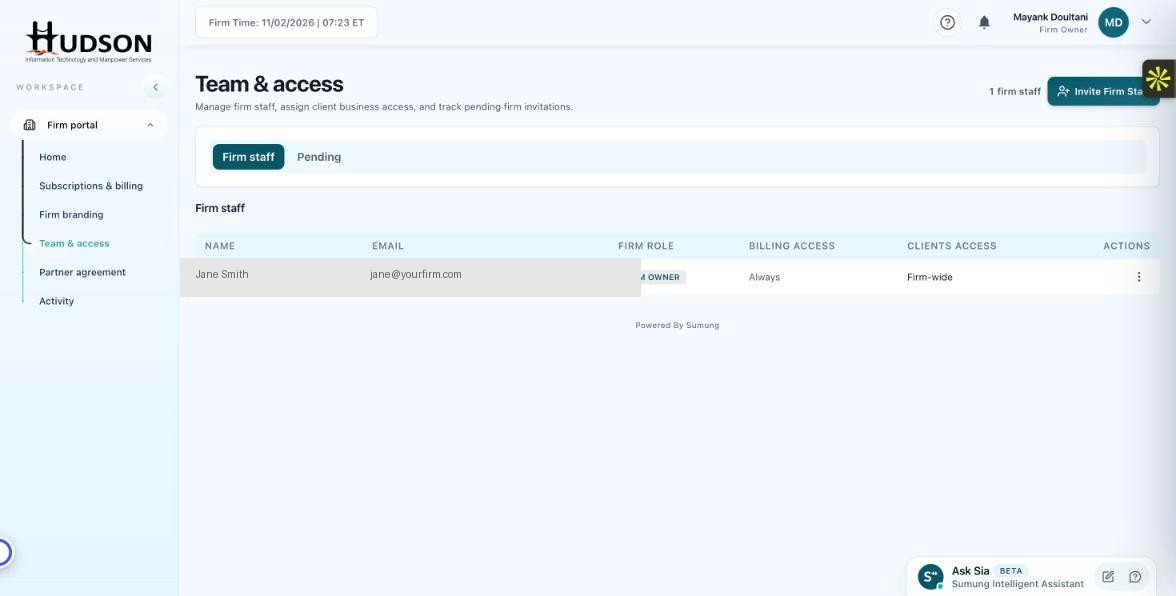
Team & access — staff list showing Firm Owner role badge
What You Can Do
- Firm Owner: Full access to all portal sections, including billing, branding, team management, and all client accounts.
- Admin: Similar to Firm Owner but may have restrictions on billing settings (depends on your plan).
- Staff: Can access only assigned clients. Cannot manage billing, branding, or team settings.
- The role badge is shown next to each staff member's name in the Team & access list.
- Role assignments can be changed from the staff member's action menu (⋮) > 'Edit role'.
💡 Good to Know: Review roles periodically — especially when staff responsibilities change.
💡 Good to Know: A new Firm Owner invitation can only be sent by an existing Firm Owner.
Related Articles
Was this article helpful?
Your feedback helps us improve our documentation.