The Team & access section is where Firm Owners manage who on their team can access the portal and what each person can do. This article gives an overview of team management.
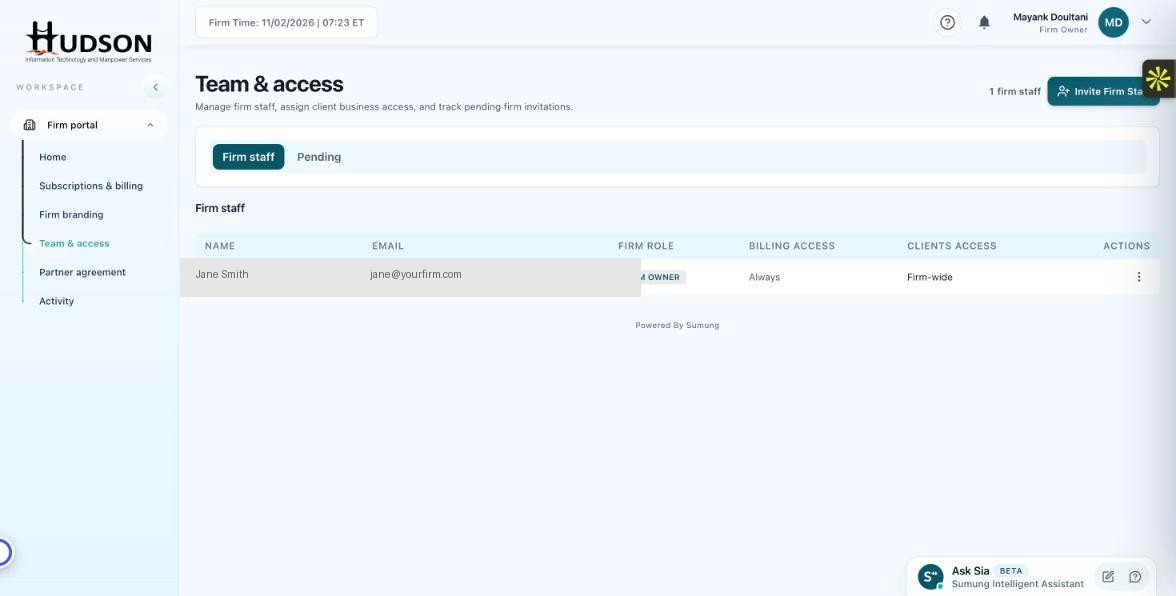
Team & access — Firm staff list
What You Can Do
- Navigate to Team & access in the left sidebar.
- The page shows two tabs: 'Firm staff' and 'Pending'.
- The Firm staff tab lists all active team members with their Name, Email, Firm Role, Billing Access, and Clients Access.
- Each staff member's role badge indicates their permission level.
- A count of '1 firm staff' (or more) is shown in the top-right of the page.
- The 'Invite Firm Staff' button lets you add new team members.
💡 Good to Know: Only Firm Owners can add, edit, or remove staff members.
💡 Good to Know: Staff changes take effect immediately — there is no approval workflow.
Related Articles
Was this article helpful?
Your feedback helps us improve our documentation.