When you add seats in the Billing section, an 'Estimated recurring after purchase' amount is shown. This article explains what this figure means.
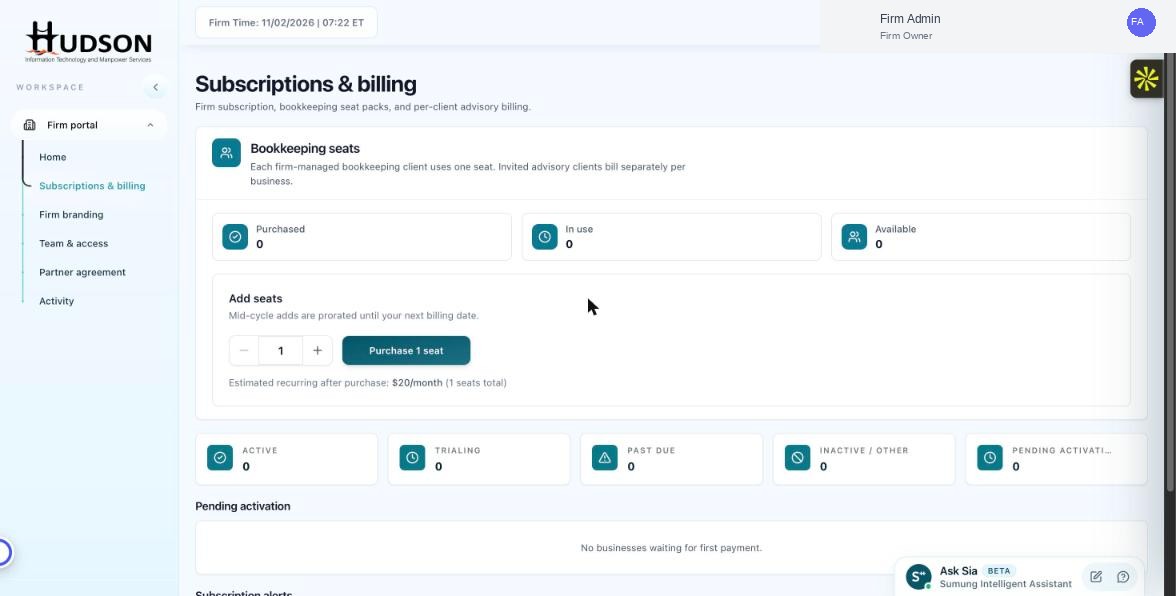
Estimated recurring cost display in Add seats widget
What You Can Do
- In the 'Add seats' widget, change the quantity selector to your desired seat count.
- The text 'Estimated recurring after purchase: $X/month (Y seats total)' updates in real-time.
- This amount is the new monthly subscription cost after the purchase is complete.
- This is NOT the immediate charge for mid-cycle purchases — proration applies.
- Click 'Purchase X seat(s)' only when you are ready — the purchase is final.
💡 Good to Know: The estimate assumes a 30-day month. Your actual invoice may differ slightly based on billing cycle length.
💡 Good to Know: This estimate includes only bookkeeping seat costs — advisory billing is separate.
Related Articles
Was this article helpful?
Your feedback helps us improve our documentation.