The Firm Owner is the primary administrator of the portal. This role has unrestricted access to all features and settings. This article explains the responsibilities and capabilities of the Firm Owner.
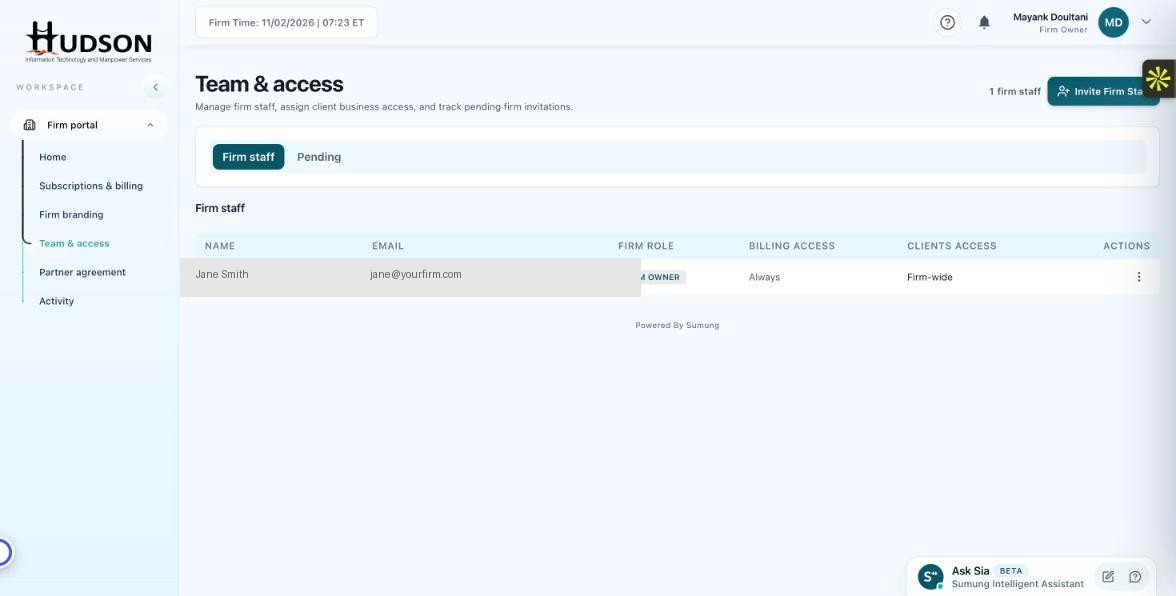
Team & access — Firm Owner badge in staff list
What You Can Do
- The Firm Owner is identified by the crown icon (👑) next to their name in the Team & access list.
- Firm Owners have full access to: Overview, Billing, Branding, Team management, Partner Agreement, and Activity.
- Firm Owners can see all client businesses in the portal.
- Firm Owners can invite, edit, and remove staff members.
- Firm Owners receive all billing notifications and alerts.
- The original account creator is automatically set as Firm Owner.
💡 Good to Know: A firm account must always have at least one Firm Owner — you cannot remove the last Owner.
💡 Good to Know: You can transfer Firm Owner status to another staff member from their role edit dialog.
Related Articles
Was this article helpful?
Your feedback helps us improve our documentation.