The 'Current version' card on the Partner Agreement page shows a green 'Up to date' label when you have accepted the latest version. This article explains what this means.
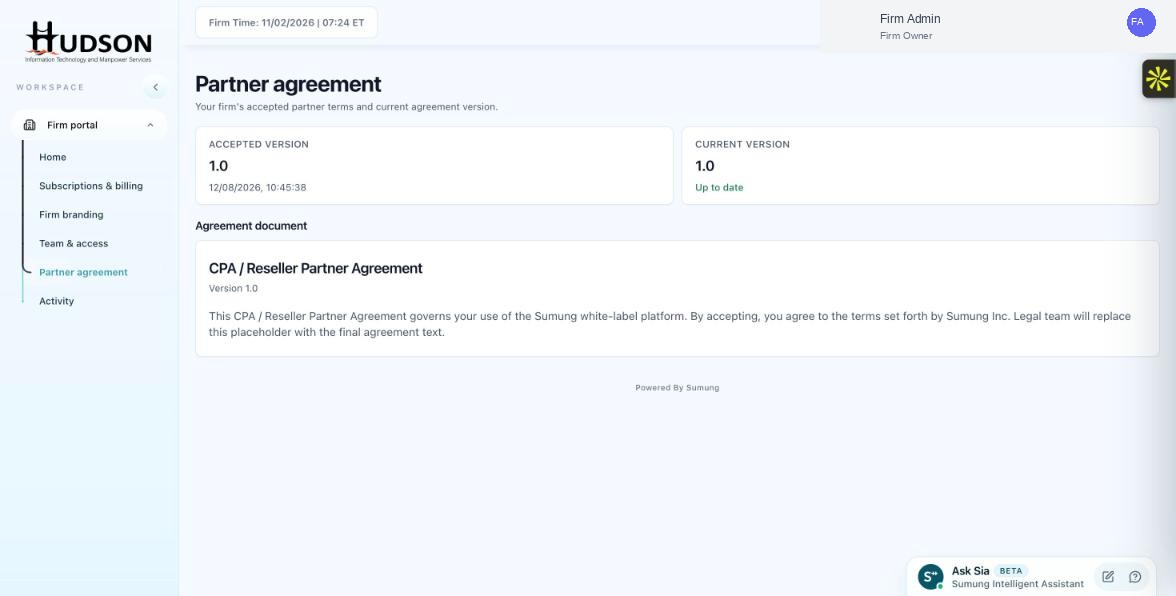
Current Version 'Up to date' indicator on the Partner Agreement page
What You Can Do
- Navigate to Partner agreement.
- The 'Current version' card shows the latest available agreement version.
- If the label reads 'Up to date' in green, your accepted version matches the current version.
- If a newer version exists, the label may show 'Update available' or a different indicator.
- No action is needed when it shows 'Up to date'.
💡 Good to Know: Regularly check the Partner agreement page after Sumung product update announcements to ensure you are on the latest terms.
💡 Good to Know: 'Up to date' confirmation gives you assurance that your partnership agreement is current.
Related Articles
Was this article helpful?
Your feedback helps us improve our documentation.