Ask Sia has two tabs — Conversation and Support — each serving a different purpose. This article explains the difference to help you use the right one for your query.
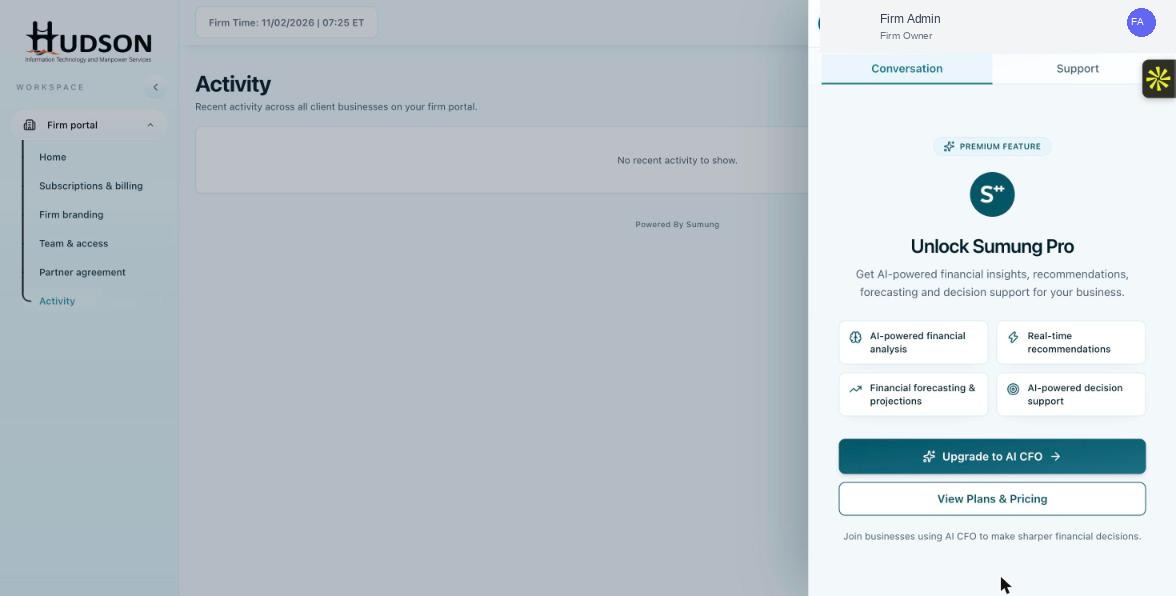
Ask Sia panel showing Conversation and Support tabs
What You Can Do
- Support tab: designed for how-to questions about using the Sumung platform. Answers come from Help Center articles. Available on all plans.
- Conversation tab: designed for financial analysis, forecasting, and data-driven queries about client financials. Requires Sumung Pro (AI CFO).
- Use Support for: navigating the portal, troubleshooting features, understanding settings.
- Use Conversation for: client financial performance, AI forecasts, strategic financial questions.
- Both tabs share the same interface but have different AI backends and data sources.
💡 Good to Know: The Support tab is great for onboarding new staff — they can ask Sia how to do anything in the platform.
💡 Good to Know: The Conversation tab requires your client's financial data to be fully synced for best results.
Related Articles
Was this article helpful?
Your feedback helps us improve our documentation.